BUILD
What it is
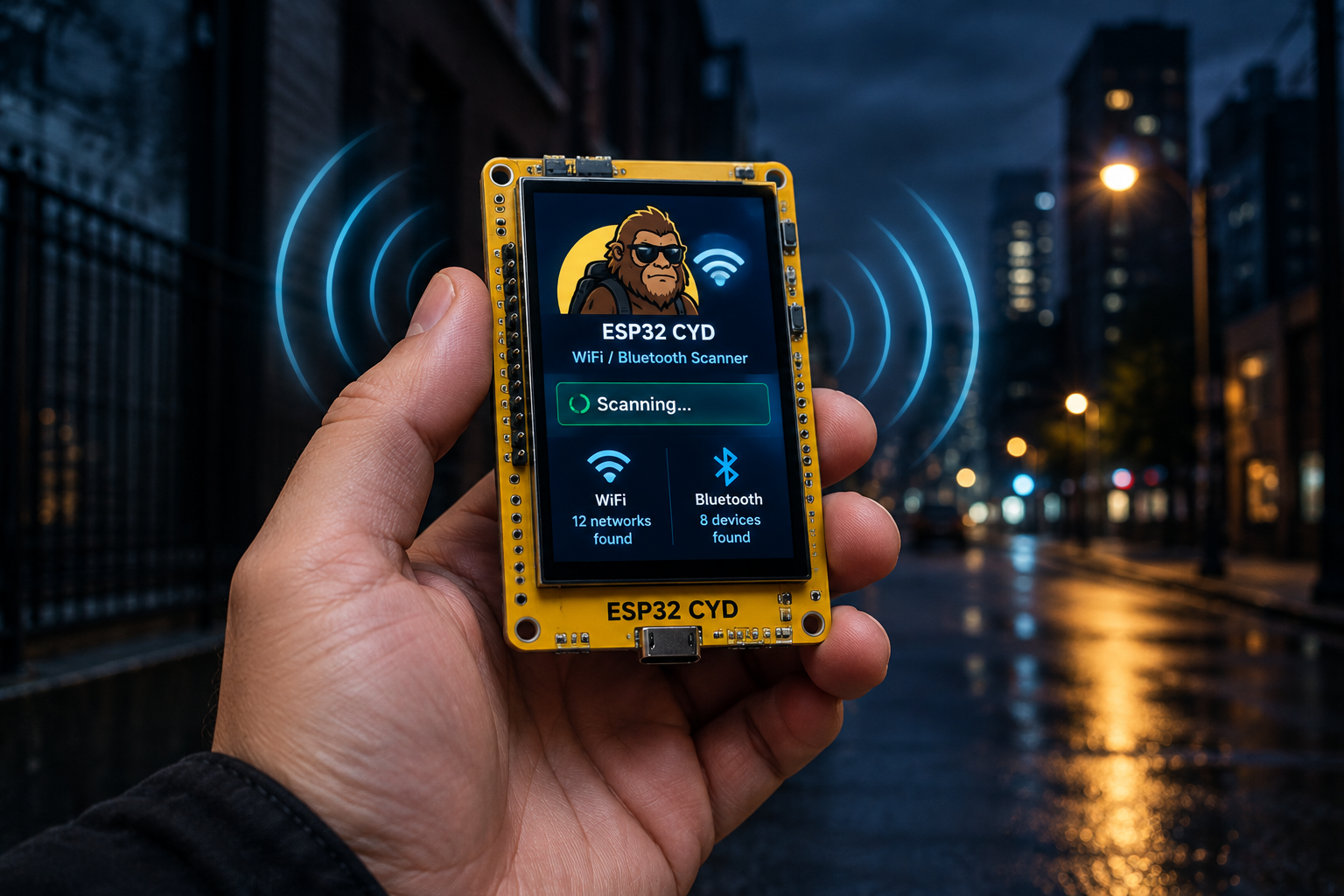
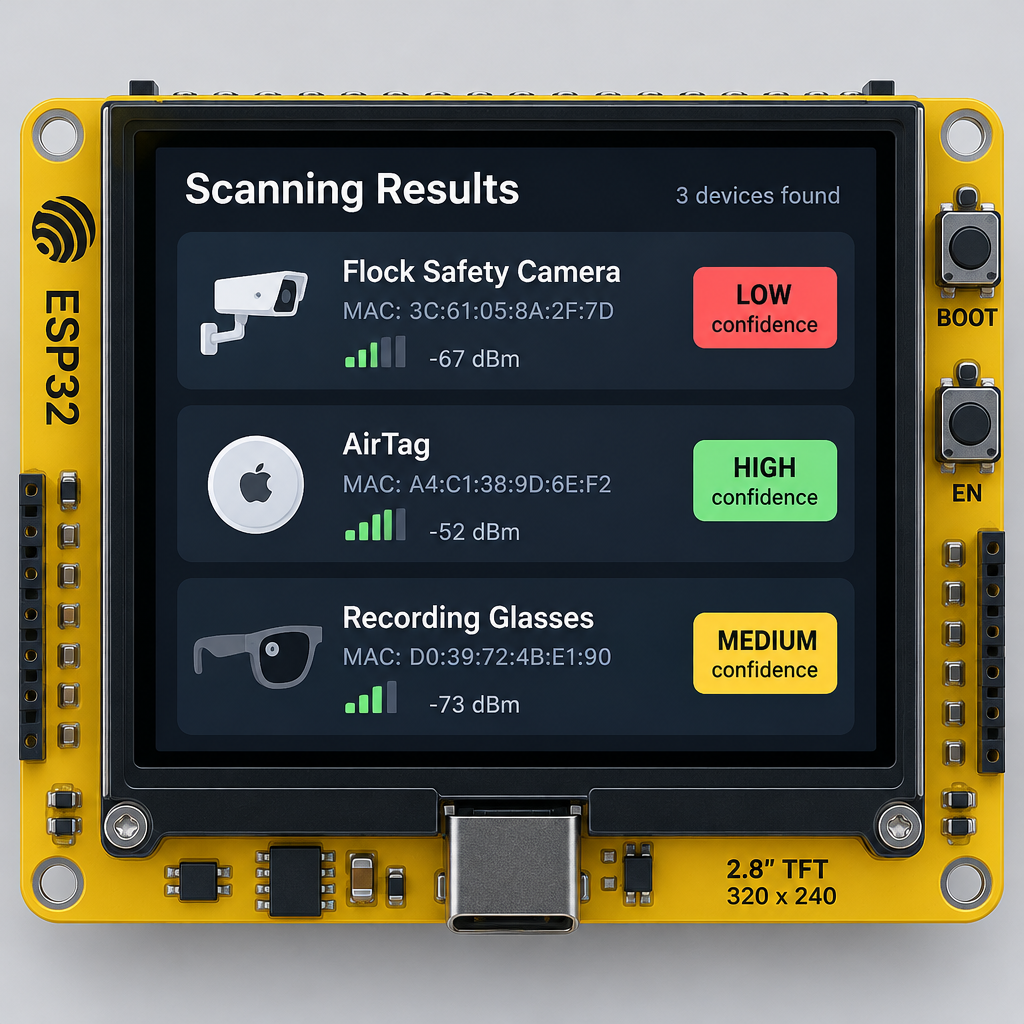
SquachWatch-CYD is open-source firmware that turns the ESP32-2432S028R “Cheap Yellow Display” (CYD) into a pocket scanner for surveillance gear. It listens to WiFi and Bluetooth around you and flags known signatures of devices such as Flock Safety cameras, AirTags and recording glasses. It’s the work of skizzophrenic (Talking Sasquach), who published the code and write-up on GitHub.
How it works
The board is the whole device. According to the project’s GitHub README, the 2.8″ CYD (ESP32-2432S028R) costs about $15 and has a built-in 320×240 TFT screen, resistive touch, a microSD slot and an RGB light. The README states plainly that there’s no buzzer, no GPS and no extra modules. You flash it, plug it into USB power and it runs on its own with no PC attached.
What it listens for. The README says SquachWatch sniffs WiFi and Bluetooth on 2.4 GHz for the wireless signatures of:
- Flock Safety cameras
- Axon body cameras
- Recording glasses
- Card skimmers
- AirTags
- Drones
- Proximity beacons
- Pentest hardware
How it matches. It compares what it hears against a table of rules. The README documents five kinds of match:
- WiFi OUI prefixes (the manufacturer part of a MAC address)
- WiFi SSID prefixes (network names)
- BLE device names
- BLE company IDs
- BLE service UUIDs
The README gives examples. Axon gear is matched on SSID prefixes, and Ray-Ban Meta glasses are matched through a BLE service UUID. The Flock rule combines WiFi OUI prefixes, SSIDs, BLE names, a company ID and a BLE service UUID.
Confidence ratings, and why they matter. The maker checked every hardware prefix in the signature tables against the IEEE registry. The results are in the README and were reported by Anne Barela on the Adafruit Blog on 28 September 2026. Of 76 rows, 32 rate High confidence, 4 Medium and 40 Low.
The Flock numbers are the important part. Only one of the 29 Flock prefixes is actually registered to Flock Safety. The rest belong to generic Espressif and Liteon parts, the same chips found in ordinary dev boards and gadgets. So a hit on a Flock-labelled prefix does not prove a Flock camera is nearby. Low-confidence matches are a hint, not proof.
The same audit caught a mislabel. The OUI 00:0E:58 shipped for eleven releases labelled “Vigilant,” but it’s registered to Sonos, so it was dropped.
An alert filter sets the minimum confidence level that’s allowed to take over the screen.
Alerts and Hunt Mode. MakeUseOf (Hamed Paydarfar) reported what happens on a match, and sister site XDA-Developers picked up the same coverage. The display shows the device type, vendor, broadcast name, MAC address and signal strength. Hunt Mode lets you walk around while watching a signal meter to narrow down where the device is.
The fun side. Per the Adafruit Blog, the scanner comes with Squachy, a mascot with fourteen costumes unlocked by detection count, plus a desk mode with a focus timer. There’s also SquachMesh:
- Two boards in range can draw each other’s mascot.
- They can exchange messages encrypted with AES-128-CCM, keyed from a shared five-word phrase.
- Transmit is off until you read a warning that the board will broadcast a fixed address.
The code. The firmware is built with PlatformIO and released under GPL-3.0.
Other boards. The README lists these as supported:
- 2.8″ CYD
- AWOK 2.4″
- RL Phantom 2.4″
- Freenove 3.2″
These are listed as beta:
- 3.5″ CYD
- LilyGo T-Watch S3
- Freenove ESP32-S3 2.8″
- Elecrow CrowPanel 7″
Release notes also show an ESP32-C5 board (RockBase NM-CYD-C5) supported and an ESP32-C5 Marauder V8 in beta. The list changes fast, so check the repo before you buy.
Parts list
| Part | Role | Rough price |
|---|---|---|
| ESP32-2432S028R 2.8″ CYD | The entire scanner: ESP32, screen, touch, microSD slot, RGB light | About $15 (per the README) |
| USB cable | Flashing from your computer, then power | Most people already have one |
| USB power source (power bank or charger) | Runs the board standalone, no PC needed | Varies; a power bank makes it portable |
| Second CYD (optional) | Only needed if you want to try SquachMesh between two boards | About $15 |
That’s it. The README is clear that there’s nothing else to add.
How to build your own
Difficulty: Low with the web flasher. Moderate if you build from source.
Time: Flashing in the browser is quick. Allow longer for a source build if PlatformIO is new to you.
Skills:
– Web flasher: plugging in a USB cable and using a browser.
– Source build: basic git and PlatformIO.
Easy route: web flasher
The README says you don’t need build tools, an IDE or a cloned repo.
- Get a 2.8″ CYD (ESP32-2432S028R) or another supported board.
- Plug it into a desktop computer over USB.
- Open squachwatch.com in Firefox, Chrome, Edge or Brave.
- Pick your board and flash the firmware.
- Unplug it and power it from any USB source.
- Set the alert filter to the confidence level you want to see full-screen.
Source route: PlatformIO
- Clone the original repo,
skizzophrenic/SquachWatch-CYD. - For the 2.8″ CYD, build and flash with:
pio run -t upload - For other boards, use the named PlatformIO environment listed in the README.
Before you take it out: the README links to a legality FAQ (docs/FAQ.md). The scanner is not fully passive by default: it sends Bluetooth active scan requests during detection and, if a WiFi network is saved, makes a brief connection at boot to check for updates. The project has retracted an older FAQ claim that it was “100% receive-only.” Only SquachMesh advertisements, which broadcast a fixed BLE address, are gated behind the warning screen. Read the FAQ for where you live.
What we would change
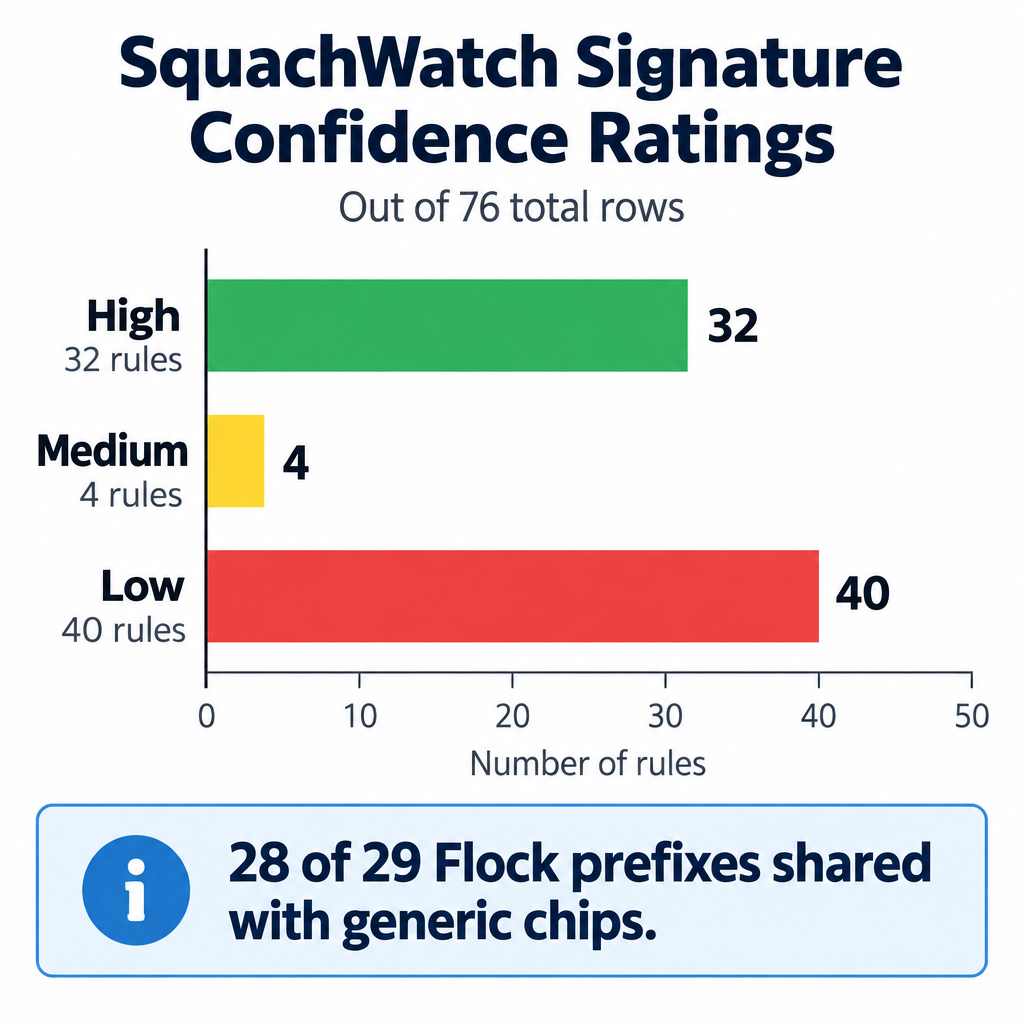
- Start with the alert filter on High. With 40 of 76 rows rated Low confidence, and 28 of 29 Flock prefixes shared with generic chips, a busy street could trigger plenty of false “Flock” alerts. We’d raise the filter first and lower it only once you know what normal looks like around you.
- Treat the screen as “possible,” not “found.” Use Hunt Mode and your eyes to confirm. A Low-confidence Flock hit is just as likely to be someone’s smart plug.
- Pin a release. The project has moved from v1.7.x to v1.31.0 quickly. If yours works the way you like, note the version before you reflash.
- Use the original repo. There are many forks, and their READMEs disagree. Some list 29 Flock WiFi prefixes and others 49. Third-party ports, such as mjwgeek’s Hosyond 4.0″ CYD40 version, are separate projects. For current signatures and board support, go to skizzophrenic’s repo.
- Plan for portability. The CYD has no battery, so a small USB power bank is effectively a required part if you want to walk around with it.
- Know its blind spots. It listens on 2.4 GHz only, so it can only flag devices that broadcast a known signature in that band.
Credit
SquachWatch-CYD was designed and published by skizzophrenic (Talking Sasquach). We didn’t build this one; we’re spotlighting their work.
- Original write-up and code: GitHub, skizzophrenic/SquachWatch-CYD
- Web flasher: squachwatch.com
- Maker’s site: talkingsasquach.com
Thanks also to Anne Barela at the Adafruit Blog, and to Hamed Paydarfar at MakeUseOf (with XDA-Developers), whose coverage we drew on here.