
Yes, you can build a 3D printer from printable designs. Open projects like Voron, RepRap and Prusa publish every plastic part as a free file, so you print those parts on an existing printer and buy the metal, motors and electronics separately. Expect 40 to 100+ hours of printing and building. In return you get a machine you understand down to the last screw.
What a 3D printable 3D printer really is
No printer is 100% printable. The printed parts are the brackets, carriages, motor mounts, belt clamps and ducts that hold everything together. Everything that moves precisely, carries current or gets hot is bought in.
The idea started with RepRap (“replicating rapid prototyper”), launched by Adrian Bowyer at the University of Bath in 2005. RepRap’s goal was a machine that could print most of its own parts. Its Mendel and Prusa Mendel designs led to the Prusa i3, which became the most copied printer layout in the world.
Today the most active community is Voron Design. Their printers are not cheap shortcuts. They are fast, enclosed CoreXY machines that many owners consider better than the commercial printers they replaced.
What you print vs what you buy
| Part group | Printed or bought | Typical examples |
|---|---|---|
| Frame brackets, corner joints | Printed | Panel clips, skirts, feet |
| Motion carriages and mounts | Printed | X/Y joints, toolhead body, motor mounts |
| Fan ducts and covers | Printed | Part cooling duct, electronics cover |
| Frame | Bought | 2020 or 2040 aluminium extrusion |
| Linear motion | Bought | MGN9/MGN12 rails, GT2 belts, idlers, pulleys |
| Motors | Bought | NEMA 17 stepper motors |
| Hotend and extruder gears | Bought | E3D V6, Dragon, Revo-style hotends |
| Electronics | Bought | Controller board, PSU, thermistors, heaters |
| Heated bed | Bought | Aluminium plate, silicone heater, PEI sheet |
6 printable printer designs worth building
These are the designs with real communities, maintained documentation and full bills of materials. Pick from this list before you think about designing your own 3D printer.
| Design | Kinematics | Build volume | Best for |
|---|---|---|---|
| Voron 0.2 | CoreXY | 120 × 120 × 120 mm | Small, fast first build |
| Voron Trident | CoreXY, 3 Z motors | 250, 300 or 350 mm | Large enclosed workhorse |
| Voron 2.4 | CoreXY, flying gantry, 4 Z motors | 250, 300 or 350 mm | Experienced builders |
| Voron Switchwire | CoreXZ bed slinger | Ender 3 class | Converting an old printer |
| Prusa i3 style (RepRap) | Cartesian bed slinger | About 250 × 210 × 210 mm | Learning the basics cheaply |
| Hypercube Evolution | CoreXY | Configurable | Tinkerers who want to customize |
Voron 0.2
The 0.2 is a tiny enclosed CoreXY printer with a 120 mm cube build volume. It uses MGN7 and MGN9 rails, so tolerances matter, and the small frame makes wiring tight. It is the best pick if you mostly print small functional parts and want something quick and rigid on your bench.
Voron Trident
The Trident uses three independent Z lead screws under a fixed gantry. It is simpler to build and tune than the 2.4, and it handles large prints well. For most people building their first big Voron, I’d point them here.
Voron 2.4
The 2.4 moves the whole gantry up and down on four belts while the bed stays fixed. It levels its gantry automatically with a routine called quad gantry leveling. It is the flagship design and also the hardest to get perfect. Build a Trident or 0.2 first unless you have experience.
Voron Switchwire
Switchwire turns a cheap bed-slinger like the Creality Ender 3 into a CoreXZ machine. You reuse the frame and some hardware, so it is a low-cost way to build your own 3D printer when you already own a donor printer.
Prusa i3 style RepRap builds
The original Prusa i3 design is open source, and Prusa Research still publishes printable parts for its older models. Every part of an i3 is easy to reach, which makes it a great learning machine. It is slower than a CoreXY design and has no enclosure, but it forgives mistakes.
Hypercube Evolution
The Hypercube Evolution is an older CoreXY design built from 2020 extrusion and printed parts. Its strength is flexibility. People change the size, the hotend and the bed freely. Documentation is thinner than Voron’s, so expect to make more of your own decisions.
Is building cheaper than buying?
No. Building is not the cheap option anymore. Budget bed slingers and enclosed CoreXY printers now sell for less than the parts cost of most self-built designs.
A Voron 0.2 parts kit typically costs several hundred dollars. A 350 mm Trident or 2.4 kit often runs over $1,000 once you add a good hotend, bed and spare parts. A self-sourced build can come in lower, but you spend time chasing parts from multiple vendors.
You build a custom 3D printer for different reasons:
- Repairability. Every part is documented, replaceable and stocked by multiple vendors.
- Learning. You learn motion systems, firmware and electronics by assembling them.
- Customization. You can swap toolheads, add a second extruder or redesign anything.
- Performance per dollar at the high end. A well-tuned Voron competes with printers that cost much more.
If you only want to print things, buy a printer. If you want to understand printers, build one.
How to make a 3D printer from printable parts
This walkthrough uses a Voron Trident with a BigTreeTech Octopus controller and Klipper firmware, the most common setup right now. The same flow works for any design on the list.
Step 1: Print the parts
You need a working printer first. If you don’t own one, Voron’s Print It Forward (PIF) program connects you with approved community members who print the parts for a fee. A local library or makerspace printer also works for a smaller design like the 0.2.
Print the parts for an enclosed printer in ABS or ASA. PLA softens around 60 °C and will creep inside a heated chamber. For an open-frame Prusa i3 style build, PETG is fine.
Voron’s recommended slicer settings are a good baseline for any printed-printer project:
- 0.4 mm nozzle
- 0.2 mm layer height
- 4 perimeters
- 5 top and bottom layers
- 40% infill
A Trident or 2.4 needs roughly 2 kg of filament. Print a test cube first and check that your printer holds dimensions within about 0.1 mm. Undersized holes and swollen parts make assembly miserable.
Maker tip
Print the parts with accent colors last. If your filament runs out mid-plate, you only lose cosmetic parts.
Step 2: Source the bill of materials
Every Voron release includes a sourcing spreadsheet listing extrusions, rails, bearings, fasteners and electronics. Buy a full kit if this is your first build. Mixing parts from multiple sellers saves money but costs time when one bolt length is wrong.
Step 3: Build the frame and motion system
Square the frame on a flat surface such as a kitchen counter or glass sheet. A twisted frame causes problems you will chase for weeks. Then fit linear rails, belts, idlers and motors following the manual’s exact order.
The printed parts use heat-set brass inserts. You press these in with a soldering iron fitted with an insert tip, set to roughly 265 °C for ABS. Go slow and keep the insert straight.
Step 4: Wire the electronics
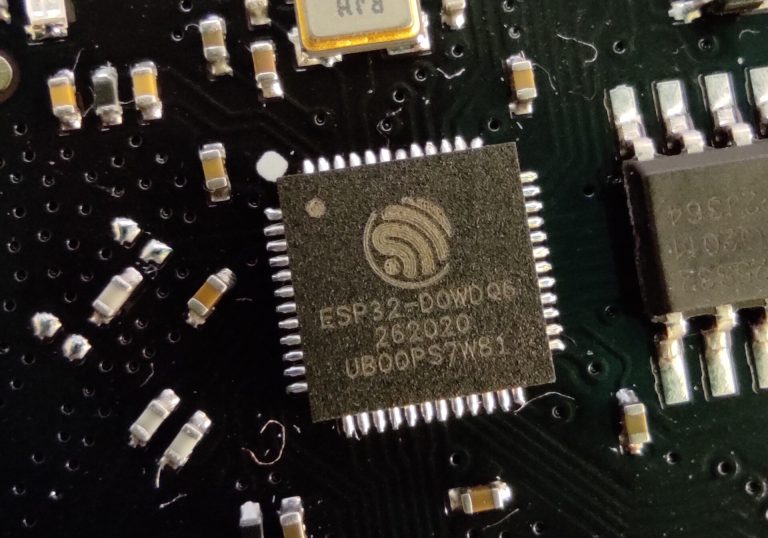
This is where most new builders get stuck. The stepper motors, endstops, heaters, fans and thermistors all land on the controller board. Each TMC2209 stepper driver on the board is a small integrated circuit that turns step pulses into motor current.
Step 5: Flash firmware and calibrate
Install Klipper on the Raspberry Pi, flash Klipper’s firmware onto the Octopus, then write your printer.cfg. Calibrate in this order: endstops, motor directions, PID tuning for the heaters, Z offset, then pressure advance and input shaping.
Build steps
- Print a test cube and confirm dimensional accuracy.
- Print all functional parts in ABS or ASA.
- Install heat-set inserts in every printed part that needs them.
- Square and assemble the extrusion frame.
- Fit rails, belts, motors and the toolhead.
- Mount the PSU, controller and Raspberry Pi.
- Wire motors, sensors, heaters and fans.
- Flash Klipper and load your printer.cfg.
- Verify motor directions and homing before heating anything.
- Tune heaters, Z offset, pressure advance and input shaping.
Wiring overview
Exact headers vary by board revision, so always check your board’s pinout PDF. This table shows the common Octopus layout used in Voron documentation.
| From | To | Purpose |
|---|---|---|
| 24 V PSU V+ / V− | Octopus power input | Main board and motor power |
| 24 V PSU V+ / V− | Octopus bed power input | Feeds the bed output when using a DC bed |
| 5 V PSU | Raspberry Pi 4 USB-C | Pi power (5 V, 3 A minimum) |
| Raspberry Pi USB-A | Octopus USB-C | Klipper communication |
| X (B) stepper | MOTOR0 header | X/B axis motion |
| Y (A) stepper | MOTOR1 header | Y/A axis motion |
| Z steppers | MOTOR2 to MOTOR4 | Three Z lead screws on Trident |
| Extruder stepper | MOTOR5 header | Filament drive |
| Hotend heater (24 V) | HE0 | Melts filament |
| Hotend thermistor | T0 | Hotend temperature reading |
| Bed thermistor | TB | Bed temperature reading |
| Bed SSR control input | Bed output | Switches the AC bed heater via the SSR |
| X endstop | STOP0 (PG6) | X homing |
| Part cooling fan | FAN0 | Cools printed layers |
Power check
A Voron’s PSU and AC bed heater run on mains voltage. Have a qualified electrician check your mains wiring, earth every metal frame part and bed, and fuse the AC input.
Crimp your connectors with a proper ratcheting crimper. Loose crimps on heater and thermistor wires are a leading cause of failed builds and, in the worst cases, thermal runaway.
Firmware: a minimal Klipper config
Klipper splits the work. The Raspberry Pi does the heavy maths and the controller board times the step pulses. If you’ve worked through a few Raspberry Pi projects, the setup will feel familiar.
Here is the start of a printer.cfg for a CoreXY machine on a BTT Octopus V1.1. The pins match Klipper’s reference Octopus config for MOTOR0. Replace the serial path with the one from ls /dev/serial/by-id/ on your Pi.
[mcu]
serial: /dev/serial/by-id/usb-Klipper_stm32f446xx_REPLACE_WITH_YOURS-if00

[printer]
kinematics: corexy
max_velocity: 300
max_accel: 3000
max_z_velocity: 15
max_z_accel: 350
square_corner_velocity: 5.0

[stepper_x]
step_pin: PF13
dir_pin: PF12
enable_pin: !PF14
microsteps: 16
rotation_distance: 40
endstop_pin: PG6
position_endstop: 300
position_max: 300
homing_speed: 50
homing_retract_dist: 5
homing_positive_dir: true

[tmc2209 stepper_x]
uart_pin: PC4
run_current: 0.8
stealthchop_threshold: 0
rotation_distance: 40 is correct for a 20-tooth GT2 pulley (20 teeth × 2 mm pitch). Set run_current to roughly 70% of your motor’s rated current and check that the motors stay below about 60 °C to the touch after a long print.
Klipper enables heater verification by default. Leave it on. It shuts the heaters down if the temperature stops responding the way it should.
How it all works together
A CoreXY printer moves the toolhead with two long belts and two stationary motors. Turn both motors the same way and the head moves in X. Turn them in opposite directions and it moves in Y. Because the motors don’t ride on the gantry, the moving mass stays low and the printer can accelerate hard.
Stepper motors move in fixed steps, usually 200 per revolution, which the driver splits into microsteps. If you want to know what sits inside them, the rotor, stator coils and bearings are the same electric motor parts you’d find in most brushless designs, just wound for precise positioning.
The hotend melts filament, the extruder pushes it through, and the printed part cooling duct sets each layer quickly. Klipper’s input shaping cancels frame resonance so you can print fast without ghosting.
Troubleshooting your first prints
| Symptom | Likely cause | Fix |
|---|---|---|
| Motor buzzes but doesn’t turn | One coil wired wrong | Check coil pairs with a multimeter, swap one pair |
| Axis moves the wrong way on CoreXY | Motor direction or A/B swapped | Invert dir_pin with ! or swap the motor plugs, one change at a time |
| “Unable to connect” in Klipper | Wrong serial path or wrong firmware build | Re-run ls /dev/serial/by-id/, rebuild for STM32F446 with 32 KiB bootloader |
| Temperature reads −14 °C or jumps | Loose thermistor crimp | Re-crimp and strain-relieve the wire |
| Heater errors during PID tuning | Weak heater or drafty enclosure | Close panels, re-run PID, check heater wattage |
| Layer shifts | Belt tension or low motor current | Tension belts evenly, raise run_current slightly |
| First layer uneven | Frame not square or bed not trammed | Re-square frame, run bed mesh or gantry leveling |
Designing your own 3D printer
Designing a printer from scratch is a big jump. Most people who say they designed their own actually started from an open design and changed it. That is the smart route.
Start with these decisions:
- Kinematics. Cartesian bed slingers are easiest. CoreXY is faster and more compact. Delta printers are tall and tricky to calibrate.
- Frame. 2020 extrusion for small machines, 2040 or 3030 for larger and stiffer ones.
- Motion. Linear rails give precision. V-slot wheels are cheaper but wear and need adjustment.
- Z system. One lead screw is simplest. Two or more allow automatic leveling.
- Electronics. Choose a controller with enough stepper drivers for every motor you plan, plus one spare.
Model in Fusion 360, Onshape or FreeCAD. Design printed parts so the load runs along the layer lines, not across them, and leave about 0.2 mm clearance for holes that take bolts. Print, test and revise. Expect three or four versions of a toolhead before it works well.
Next steps after your build
Once your printer runs reliably, the upgrades get fun:
- Add a KlipperScreen touchscreen or a classic 12864 liquid crystal display for local control.
- Fit an eddy-current or nozzle-contact Z probe for faster, more accurate first layers.
- Try a multi-material system such as an ERCF or Box Turtle for color prints.
- Print your next printer’s parts on the one you just built, which is exactly what RepRap set out to do.
FAQ
Can a 3D printer print all of its own parts?
No. It prints the plastic structural parts, which can be over 100 pieces on a large Voron. The frame, rails, belts, motors, hotend, bed and electronics are all bought.
What’s the easiest 3D printable 3D printer for a beginner?
A Prusa i3 style RepRap or a Voron Switchwire conversion is the gentlest start. If you want an enclosed CoreXY machine, the Voron 0.2 or Trident are better first Vorons than the 2.4.
How long does it take to build your own 3D printer?
Printing parts takes 40 to 80 hours of machine time for a large design. Assembly and wiring usually take 20 to 40 hours spread over a few weekends, plus calibration.
Do I need to solder?
Very little. Most connections are crimped. You will use a soldering iron for heat-set inserts and possibly for a few fan or LED wires.
Is building a 3D printer safe?
It is safe when you respect the risks. Mains-powered PSUs and AC beds need correct earthing and a qualified electrician’s check. Keep Klipper’s heater protection on, fit a fuse and stay nearby during early prints. Print ABS in a ventilated room.
Can I build a clay or cement 3D printer the same way?
The motion system and firmware principles are the same, but paste printers use a pressurized or auger extruder instead of a filament hotend. Clay printing is a separate build with its own parts list. Start with a filament printer to learn the basics.