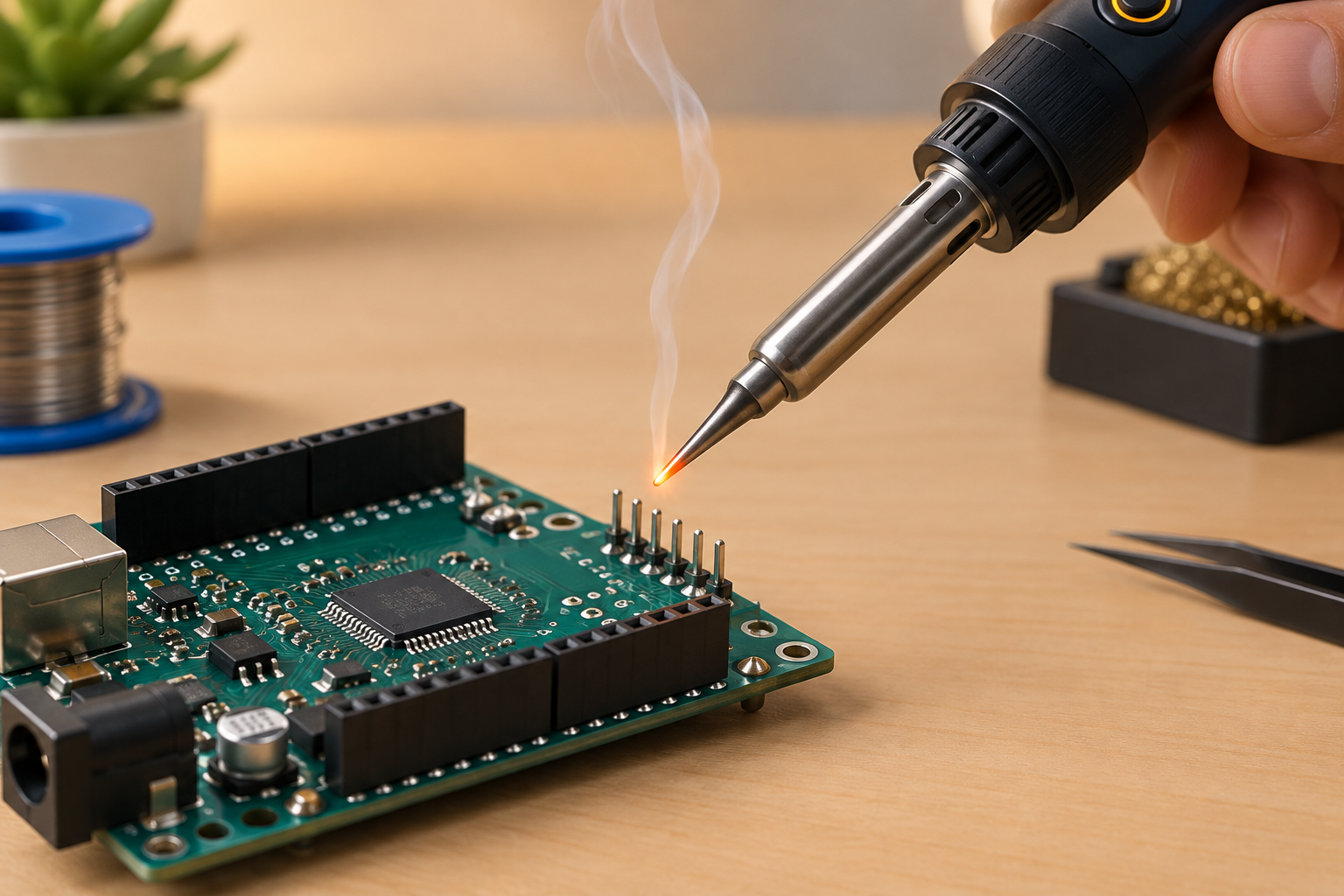
The best soldering iron for most Arduino and electronics work is a temperature-controlled model of 60 to 75 W with cheap, swappable tips. The Pine64 Pinecil V2 is the easiest recommendation for beginners on a budget, and the Hakko FX-888DX is the safest bench-station choice. Below you will find six options compared on power, temperature range, tip system and price, plus the settings and solder that make header pins and perfboard joints go smoothly.
What actually matters in a soldering iron for electronics
Most beginner frustration with a solder iron comes from the tool, not the hands holding it. A cheap fixed-power iron runs too hot when idle and too cold under load, so joints come out dull and lumpy and you blame your technique. The features below are the ones that change your results. The rest is mostly marketing.
Temperature control, not just wattage
A temperature-controlled iron measures tip temperature and adjusts power to hold the value you set. That function matters more than any other spec, because it lets you solder a tiny SMD resistor and a thick ground pad with the same tool, without cooking the board or the tip. Unregulated “variable power” irons let you turn the heater up or down, but they do not hold a temperature. You should treat them as a stopgap.
Power and recovery
Wattage tells you how quickly the iron can push heat back into the tip after a joint pulls it away. For through-hole headers, Arduino shields and perfboard, 60 to 75 W of regulated power is plenty. Low-wattage irons in the 25 to 30 W range can still work on small joints, but they struggle on ground planes, large connectors and thick wires.
Tip ecosystem
Tips wear out, and the tip shape you need changes with the job. Before you buy, check that replacement tips for that series are easy to find in stock and reasonably priced. Hakko T18, Weller ET, the TS100-style tips used by the Pinecil, and T12/T15 cartridges are all widely sold, which is a strong argument for sticking with an established tip family.
Power source and portability
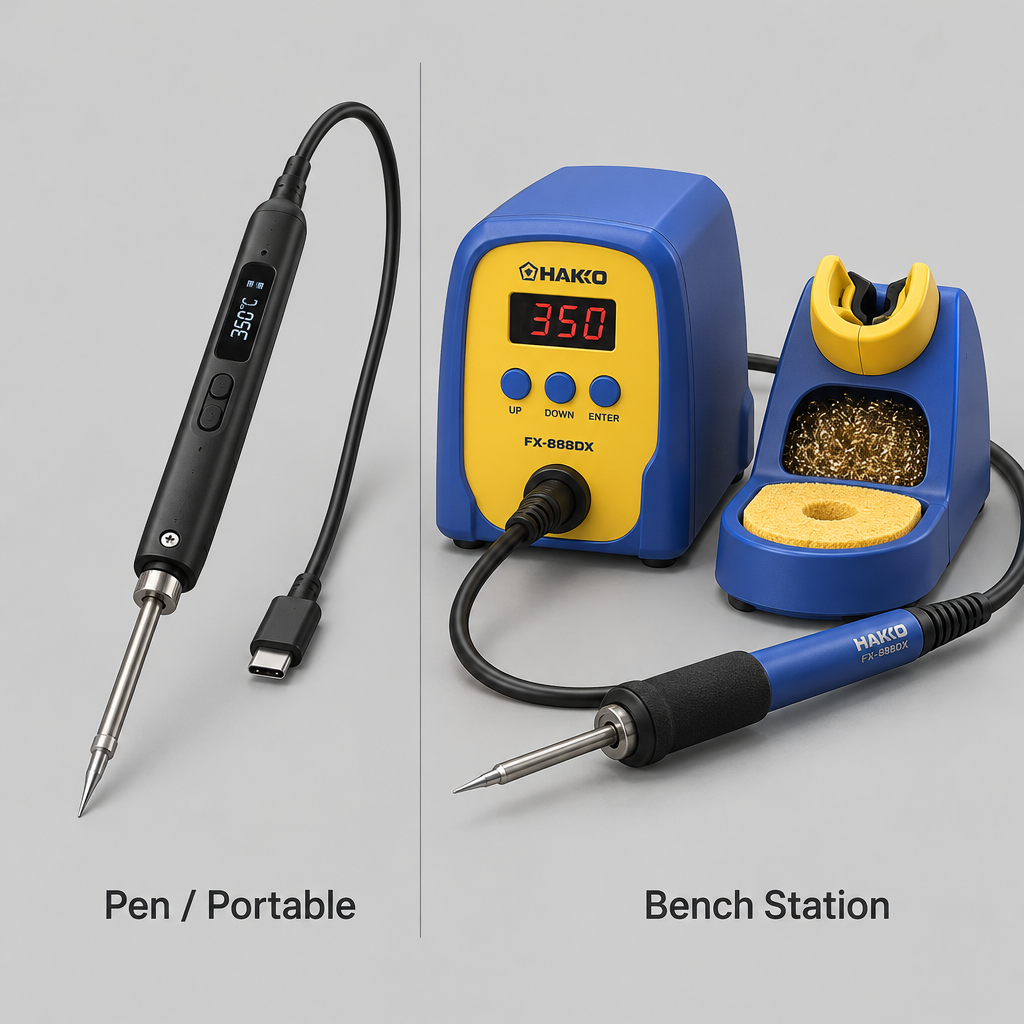
Bench stations plug into the wall and sit on your desk. Pen-style irons such as the Pinecil and TS101 run from USB-C Power Delivery or a DC supply, which makes them portable and lets you solder at a club, a classroom or a field repair using a laptop charger or a capable power bank. Pen irons usually do not include the power supply, so add one to the budget.
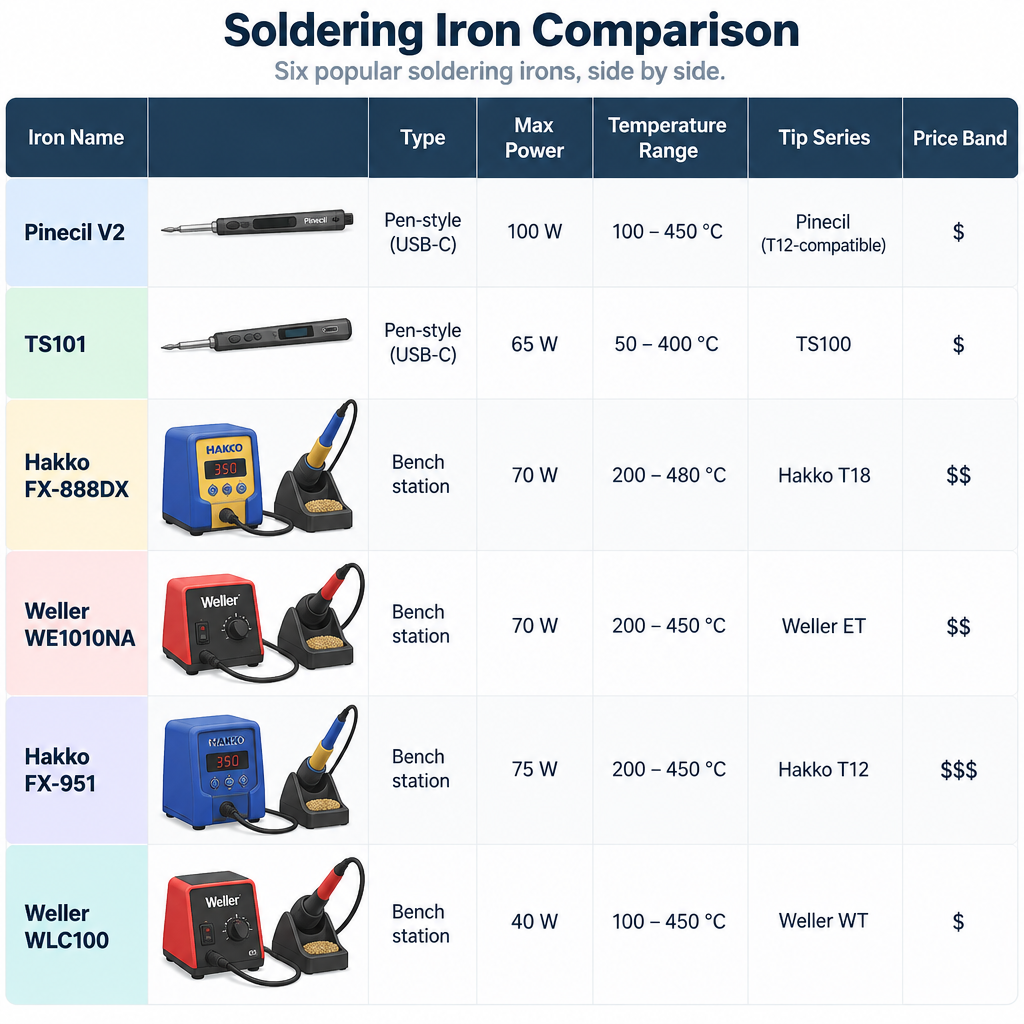
The six irons compared
Prices in this table are typical US retail bands rather than live quotes. They were not confirmed against current listings at the time of writing, and stock and pricing shift often, so check the seller before you buy.
| Iron | Type | Max power | Temperature range | Tip series | Typical price band |
|---|---|---|---|---|---|
| Pine64 Pinecil V2 | USB-C / DC pen iron | About 65 W from a 20 V USB-C PD supply | Adjustable via IronOS firmware | TS100-compatible and Pine64 short tips | About $26 for the iron, supply extra |
| Miniware TS101 | USB-C / DC pen iron | Up to 65 W from USB-C PD | 50–400 °C (manufacturer spec) | Miniware TS series | Roughly $60–80, supply extra |
| Hakko FX-888DX | Bench station | 65 W (handpiece) | 50–480 °C (120–899 °F) | Hakko T18 | Roughly $110–140 |
| Weller WE1010NA | Bench station | 70 W | 100–450 °C (200–850 °F) | Weller ET | Roughly $100–130 |
| Hakko FX-951 | Cartridge station | 75 W | 200–450 °C | T12 / T15 cartridges | Several hundred dollars |
| Weller WLC100 | Variable-power station (not temperature-controlled) | 40 W, adjustable 5–40 W | Not regulated | Weller ST | Roughly $40–55 |
Sort this list by price in descending order and you also get a rough ranking of how forgiving each iron is under load. The one exception is the Pinecil, which punches well above its price.
The picks in detail
Pine64 Pinecil V2: best value for Arduino beginners
The Pinecil V2 is the soldering iron for Arduino projects that we suggest first to most readers, because it gives you real temperature control and quick heat-up for the price of a takeout dinner. Pine64 sells it for about $26 from its own store, though the power supply is not included. To reach the roughly 65 W it is known for, you need a USB-C Power Delivery charger that can supply 20 V at around 3.25 A. A weaker phone charger will still run it, but slowly.
It runs IronOS, an open-source firmware that handles temperature setting, a motion-based sleep mode and calibration. The tip and heater are combined, so heat-up and recovery are quick for such a small iron. On the downside, the menu takes some getting used to, the cable and supply quality affect performance, and the slim body heats up near the tip during long sessions. Buy it from Pine64 or an authorised reseller, because look-alike listings exist.
Miniware TS101: the polished portable option
The TS101 is the newer member of the TS100 lineage, with a USB-C input, an OLED display and up to 65 W from a USB-C PD supply. Miniware lists a temperature range of 50 to 400 °C. It feels more refined in the hand than the Pinecil and uses Miniware’s own TS tip family, which is well stocked through hobby electronics shops.
It costs more than twice as much as the Pinecil and does roughly the same job, so it makes sense if you prefer its build quality and screen. You still need a separate USB-C PD supply.
Hakko FX-888DX: best bench station
If your soldering happens at one desk, a station gives you a heavier stand, a cable that does not drag, and a handpiece that stays cool. The Hakko FX-888DX is the long-running default for good reason. Its handpiece delivers 65 W (the station draws 100 W), it sets from 50 to 480 °C, and it uses the T18 tip series, which offers a huge range of shapes at modest prices. The digital display is accurate, though setting the temperature with the small buttons feels fiddly compared with the analogue knob on older Hakko models.
This is the iron to buy if you expect soldering to become a regular part of your “arduino projects” and “raspberry pi projects” over several years. It has the reputation, the tip catalogue and the repair support to justify the price.
Weller WE1010NA: the Weller alternative
Weller’s WE1010NA matches the Hakko on paper, with 70 W and a range of 100 to 450 °C, and it uses Weller ET tips. It includes a standby mode that drops the temperature when you stop working, which extends tip life, plus a lockout feature that classrooms and makerspaces appreciate. In practice the choice between this and the FX-888DX often comes down to which tip family your local shop carries and what is in stock that week.
Hakko FX-951: for heavy or frequent work
The FX-951 uses cartridge tips with the heater and sensor built into the tip itself. That design puts the sensor millimetres from the joint, so recovery is very fast and you can solder at a lower set temperature. With a compatible holder, it drops into sleep when you rest the handpiece. The cartridges cost more than plain tips, and the station itself costs several hundred dollars, so it only makes sense if you solder for hours each week, repair gear, or teach.
Weller WLC100: budget, with a big caveat
The WLC100 is a 40 W station with a power dial from 5 to 40 W. That dial controls power, not temperature, so the tip temperature depends on how long it sits idle and what you are soldering. It will get you through header pins and simple kits, and it is reliable. If you can stretch your budget to a Pinecil plus a decent USB-C supply, you will get regulated temperature for similar money, which makes your experience as a beginner far easier.
What temperature and solder to use for Arduino work
Tip temperature should be a little above the solder’s melting point, high enough to make a joint in two to three seconds. The table below lists standard melting points and the starting tip settings we use. Adjust up for large pads and ground planes and down for small, delicate parts.
| Solder alloy | Melting point | Starting tip temperature |
|---|---|---|
| 63/37 tin-lead (eutectic) | 183 °C | 300–330 °C |
| 60/40 tin-lead | 183–190 °C | 315–340 °C |
| SAC305 lead-free (Sn96.5 Ag3.0 Cu0.5) | 217–220 °C | 340–370 °C |
| Sn99.3 Cu0.7 lead-free | 227 °C | 350–380 °C |
For a first spool, 63/37 rosin-core solder around 0.8 mm (0.031 in) thick is the easiest type to learn on, because eutectic solder goes from liquid to solid in one step without a mushy stage. Lead-free solder is required for products you plan to sell in many regions and is a sensible choice for shared spaces, but it needs more heat and flows less willingly. A small bottle of no-clean flux pen is the cheapest upgrade you can make to your joint quality.
For tips, a 1.6 to 2.4 mm chisel handles almost every Arduino job: headers, screw terminals, perfboard and wires. A conical tip looks precise but has less contact area, so it transfers heat poorly. Add a fine tip later if you take on surface-mount parts.
Soldering header pins onto an Arduino Nano or ESP32 board
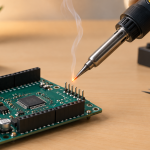
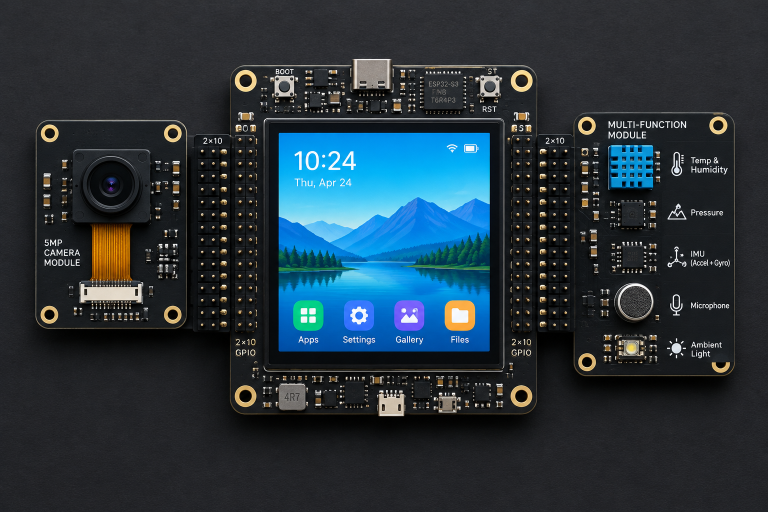
Header pins are the most common first job, and they are where a decent soldering iron for electronics pays for itself. Many clone Nano boards, ESP32 dev boards and Pico boards ship with loose headers, and some ready-made boards such as the one in our “cyd privacy and camera scanner” build only need occasional work like adding a battery lead.
Build steps
- Push the header strips into a breadboard, long legs down, so they stay straight and parallel.
- Lay the board over the pins, component side up, and check the orientation matches the pin labels.
- Set your iron to about 320 °C for leaded solder or 350 °C for lead-free.
- Tin the clean tip with a small blob of solder.
- Touch the tip to both the pad and the pin together for about one second.
- Feed solder into the joint, not onto the tip, until it forms a small cone.
- Remove the solder, then the iron, and do not move the board for two seconds.
- Solder one corner pin on each strip, check alignment, then finish the rest.
- Inspect for shiny cones and no bridges between neighbouring pins.
Maker tip
Solder one pin at each end of a header strip first. If the strip sits crooked, you can reheat a single joint and nudge it into position before committing all forty pins.
Spotting bad joints
A good joint is smooth, slightly concave and wets both the pad and the pin. A ball of solder sitting on top of the pad usually means the pad never got hot enough, so add flux, hold the tip on the pad and pin together, and reflow. A grey, grainy joint means it moved while cooling. A bridge between pins can be cleared by dragging a clean, fluxed tip away from the gap or by using desoldering braid.
Keeping your tips alive
Tips are consumables, but the way you treat them decides whether one lasts months or days. These habits make the most difference:
- Keep the tip tinned. Always leave a coat of solder on the tip when you rest the iron or switch it off. Bare tips oxidise and stop wetting.
- Use brass wool, not a soaking sponge. Brass wool cleans without the thermal shock of a wet sponge. If you use a sponge, dampen it rather than soak it.
- Do not run hotter than you need. Higher temperature speeds oxidation. If joints are slow, try a bigger tip before you turn up the heat.
- Use sleep and standby modes. The Pinecil, TS101, WE1010NA and FX-951 all lower temperature when idle, so leave those features switched on.
- Do not file or sand plated tips. That removes the iron plating and destroys the tip. A tip tinner paste can rescue a lightly oxidised tip.
Safety at the bench
A soldering iron tip sits at 300 °C or more, and the barrel stays hot for minutes after you switch it off. Always use a proper stand, keep the cable out of the direction you reach in, and never leave a plugged-in iron unattended.
Power check
Tips run at 300–480 °C and can burn skin instantly or start a fire. Use a stand, unplug when you walk away, and only use USB-C or DC supplies rated for the iron’s voltage and current.
Rosin flux fumes are a known respiratory irritant and can trigger asthma with repeated exposure, so work near an open window or use a fume extractor with a carbon filter that pulls smoke away from your face. If you use leaded solder, the main risk is ingestion rather than fumes, because lead does not vaporise at soldering temperatures. Wash your hands after a session, keep food and drink off the bench, and keep children and pets away from offcuts.
Wear safety glasses when clipping leads, since cut pin ends fly with surprising force. Everything in this guide is low-voltage work. Never solder or repair anything connected to mains power, and leave any mains wiring to a qualified electrician.
Which soldering iron should you buy?
For a first iron, buy the Pinecil V2 with a 65 W or stronger USB-C PD charger, a spool of 0.8 mm 63/37 rosin-core solder, brass wool and a flux pen. That kit gives you regulated temperature, fast heat-up and a portable iron for little more than the cost of a cheap station. If you want a dedicated bench setup and expect to solder for years, the Hakko FX-888DX is the station to make your long-term choice, with the Weller WE1010NA as an equal alternative depending on tip availability. Skip unregulated irons unless budget leaves no other option.
FAQ
What wattage soldering iron do I need for Arduino?
A temperature-controlled iron of 60 to 75 W handles everything from header pins to thick power wires on typical Arduino builds. Regulation matters more than raw wattage, because a regulated 65 W iron holds temperature better than an unregulated 60 W one.
Is a cheap soldering iron good enough for electronics?
A cheap temperature-controlled iron such as the Pinecil is good enough for almost all hobby electronics. Very cheap unregulated plug-in irons tend to overheat at idle, oxidise tips quickly and make clean joints harder, so they are a false economy.
Can I run a USB-C soldering iron from a power bank?
Yes, if the power bank supports USB-C Power Delivery at 20 V. Expect lower power than a wall charger, so heat-up and recovery will be slower, but it works for portable repairs and small jobs.
Should I use leaded or lead-free solder?
Leaded 63/37 solder is easier to learn on and works at lower temperatures. Lead-free solder needs about 30 to 40 °C more heat but avoids lead handling and is required for commercial products in many regions. Both make reliable joints for hobby projects.
How often should I replace the soldering iron tip?
Replace a tip when it no longer takes solder after cleaning and re-tinning, or when the plating is visibly pitted. With good habits and sleep modes enabled, a tip on a hobby bench can last many months.